
Your Menu Is Quietly Running the Whole Restaurant
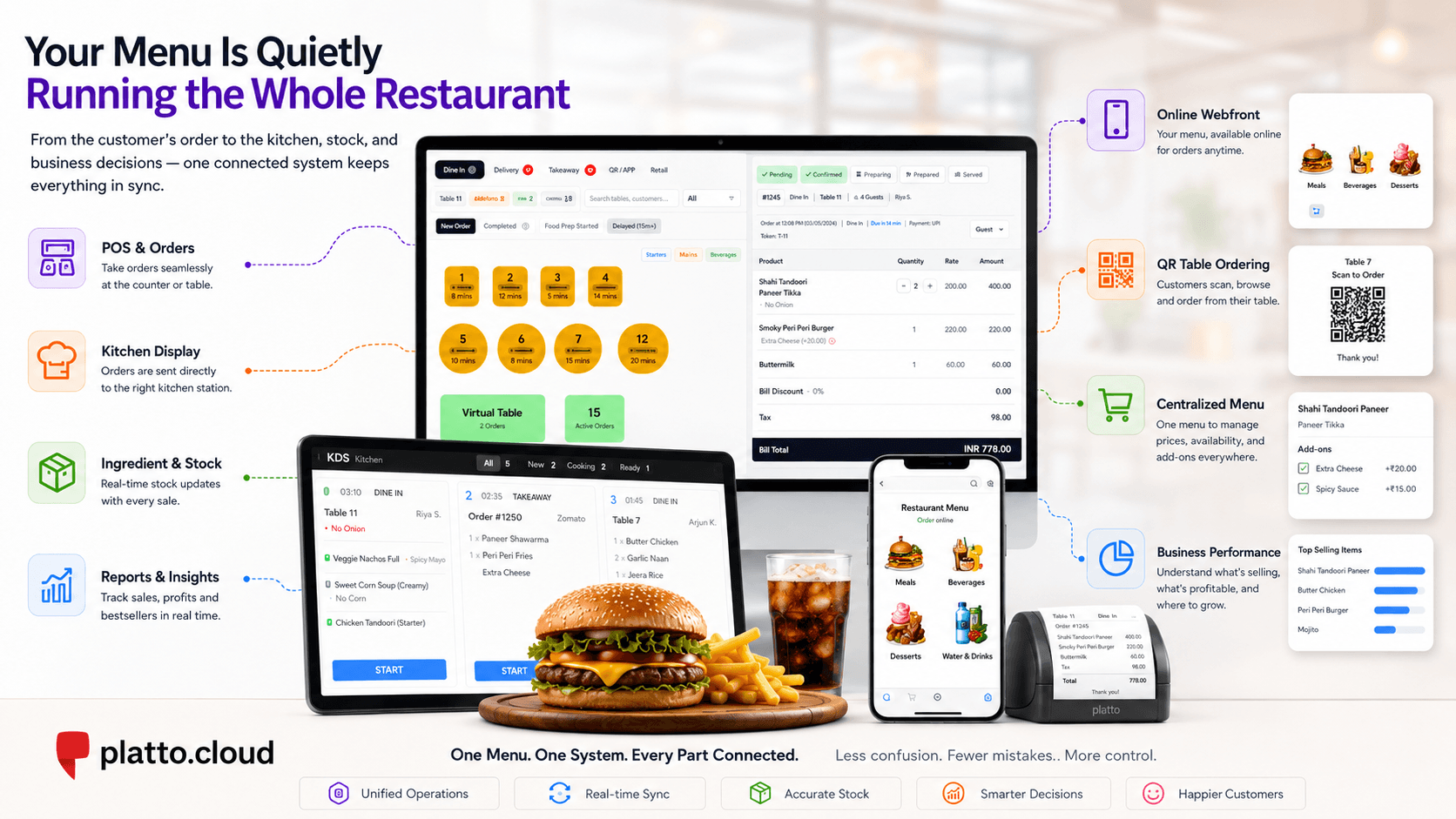
A modern restaurant menu does far more than show food and prices. It connects ordering, kitchen operations, stock management and sales reporting, turning every menu item into a vital part of the restaurant’s daily workflow.
A customer opens your menu and chooses a burger.
To them, it is simple: a picture, a description and a price.
But the moment they place the order, several questions appear behind the scenes:
Where does the order go?
How does the kitchen know what to prepare?
What happens if one of the ingredients is nearly finished?
Does the owner know how much profit the burger actually makes?
And if the price changes, how many different places need to be updated?
Most customers never think about these questions.
Many restaurants do not think about them either, until something goes wrong.
The order that looks simpler than it is
Imagine a customer orders a grilled chicken burger, adds extra cheese and chooses a cold drink. The cashier sees one order.
The kitchen sees food that needs preparing. The drink station may need to receive a separate instruction. The stockroom should reflect the ingredients used.The owner should eventually see the sale in a report.It is one customer order, but it touches several parts of the restaurant.
Now imagine that each part is working from different information.
The cashier uses one product name. The kitchen receives another. The online menu still shows an old price. Extra cheese is charged, but it is not connected to stock. The drink appears on the order but is sent to the wrong preparation area.The customer may still receive the meal. From the outside, the restaurant appears to be functioning.
Behind the scenes, however, the information is beginning to separate.
Why do small mistakes keep appearing?
A product placed under the wrong category takes longer for staff to find. An unclear item name leaves the kitchen unsure about what was ordered. A sold-out product remains available online. An ingredient is used repeatedly, but the stock level does not reflect it. A popular item sells every day, yet nobody knows whether it is actually profitable. These problems often look unrelated.
One appears at the cashier counter. Another appears in the kitchen. Another appears during stock counting. Another appears at the end of the month when the numbers do not make sense.
But what if they all began in the same place?
The menu.
A modern menu is not just for customers
A printed menu only needs to communicate a few things: what is available, what it contains and how much it costs. A digital menu has a much larger responsibility.
It may determine:
What the cashier sees
What customers can order online
Where each item is sent for preparation
Which ingredients are connected to the product
Whether the item is currently available
How the sale appears in reports
This means a menu item is no longer simply a name and a price.
It is a small package of operational information. The customer sees a burger. The restaurant sees a product category, preparation route, price, add-ons, ingredients, stock movement and sales data.
Once you see the menu this way, many restaurant problems begin to make more sense.
Categories are more important than they look
Consider a menu with fifty products placed in one long list.
A customer has to scroll through everything. A cashier has to search for items during a busy service. Reports group unrelated products together.
Now compare that with a menu that feels natural:
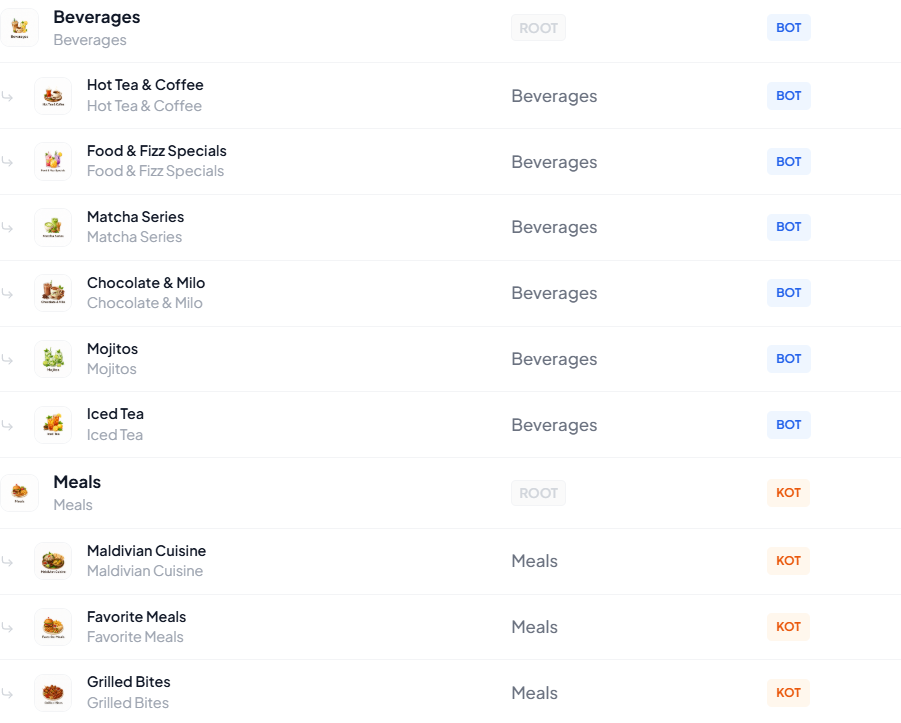
Good categories do not call attention to themselves. They simply make the restaurant easier to navigate; for customers, staff and managers. The best organisation is often invisible. People notice it only when it is missing.
What happens when the same menu appears everywhere?
Restaurants now serve customers through more than one channel.
Someone may order at the counter. Another customer may scan a QR code at the table. Someone else may place an order through the restaurant’s online Webfront. The experience may look different, but the products, prices and availability should remain consistent.
Otherwise, familiar problems appear:
Why does the online menu show an item that is unavailable?
Why is the counter price different from the Webfront price?
Why did the kitchen receive the wrong product name?
Why was the item changed in one place but not another?
The problem is not that the restaurant has several ordering channels.
The problem is that it may have several versions of the menu.
One menu can become the source of truth
This is where the pieces begin to connect. Instead of treating the cashier screen, online menu, kitchen, stock system and reports as separate areas, they can all work from the same structured menu.
With Platto Cloud, the product information behind the menu can connect to:
The cashier and dine-in POS
Online Webfront ordering
QR table ordering
The Kitchen Display System
Ingredient and stock management
Sales and performance reports
A customer selects an item. The order reaches the restaurant. The kitchen sees what needs to be prepared. Stock information remains connected to the products being sold. The sale becomes part of the restaurant’s reporting. The menu has not merely been placed online.
It has become part of the operation.
The bestseller question
Suppose one menu item sells more than everything else.
That sounds like good news. But is it the restaurant’s most profitable item?
Perhaps its ingredients are expensive. Perhaps portions are inconsistent. Perhaps it creates more wastage than other products.
Perhaps it sells well only because the price is too low. Sales tell the restaurant what customers are buying. Connected product, stock and costing information helps explain what those sales actually mean. That changes the question from:
“What sold the most?”
to:
“What is genuinely performing well?”
That is the difference between recording transactions and understanding the business.
The menu beneath the menu
Customers will always see the simple version. A product image, A name, A description, Or a price.
That is how it should be. But underneath that clean experience is the information keeping the restaurant connected. The order entering the POS. The kitchen receiving it. The stock being monitored. The sale appearing in the dashboard. The owner seeing what is really happening.
So the next time you look at a restaurant menu, look beyond the dishes and prices.
That quiet list may be running far more of the restaurant than anyone realises.
Related articles
 General
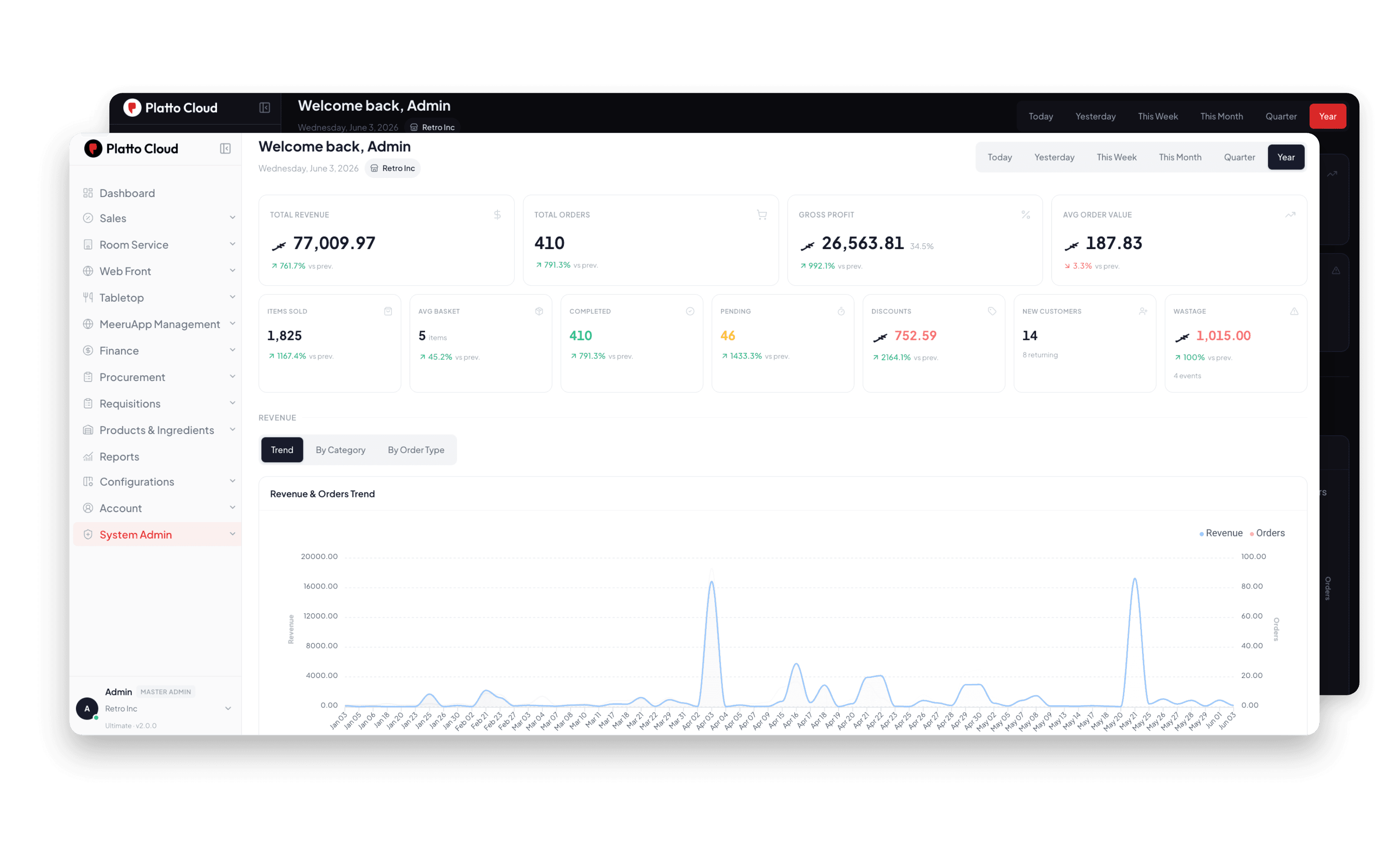
Why Platto Cloud is #1 POS in Maldives?
Everything a restaurant, café, or food business in Malé and the atolls needs to run - point of sale, kitchen, inventory, delivery, and the books in one cloud platform that costs less than a single staff lunch budget.